android2 - Patriot Mobile | Mobilizing Freedom
Navigation

Advanced Android Activation Process

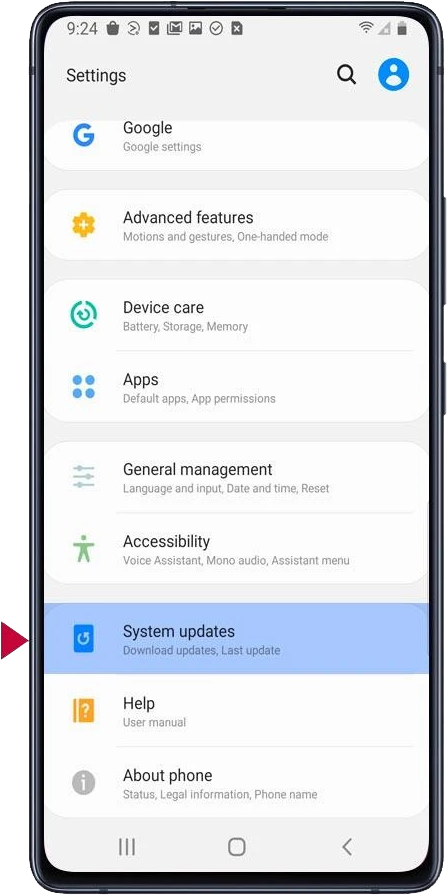
Step 1 (of 6): From your home screen, find the Settings icon. Tap “System updates”. (Some phones refer to it as "Software updates").

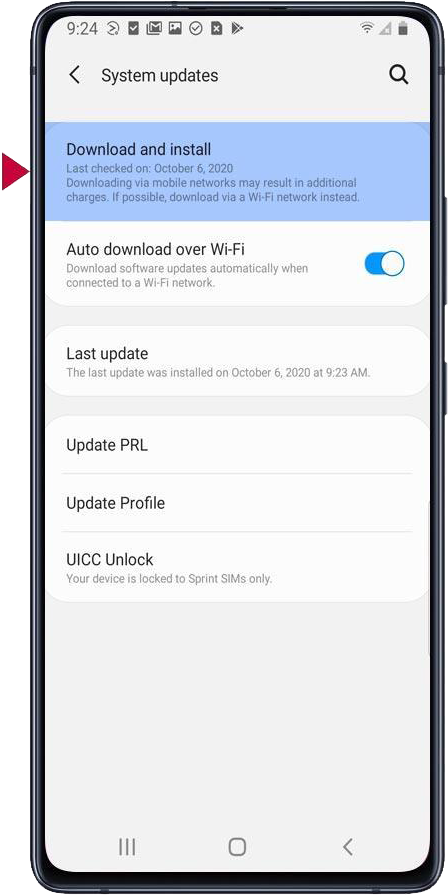
Step 2 (of 6): Tap “Download and Install” message, if it is displayed. Once your phone restarts, go to step 4. (Depending on when you last updated, this may take awhile).

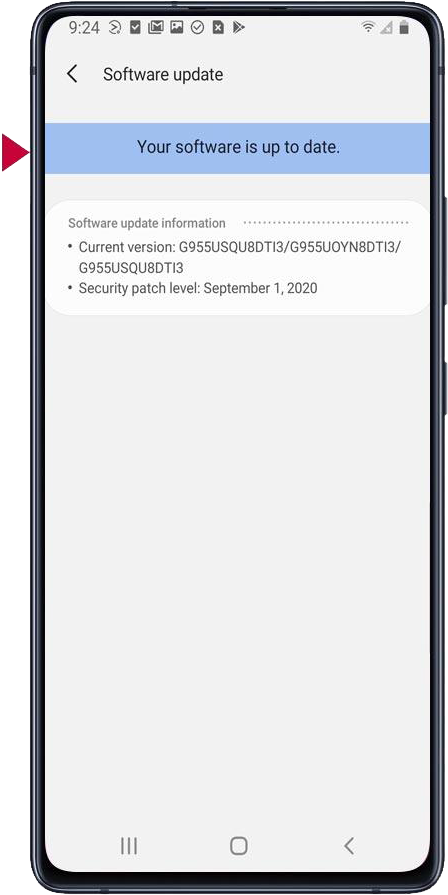
Step 3 (of 6): If “Your software is up to date” message is displayed, go to Step 6 below.

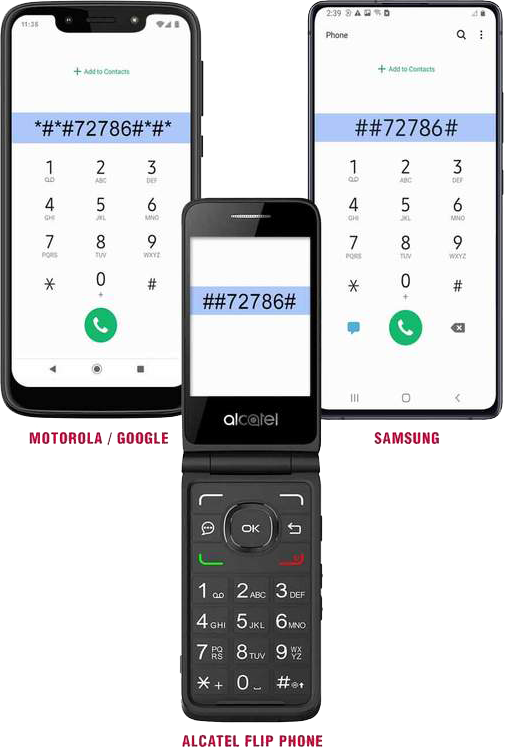
Step 4 (of 6): Dial your activation code shown on the image on the right which corresponds to your phone. Then tap the green call button.

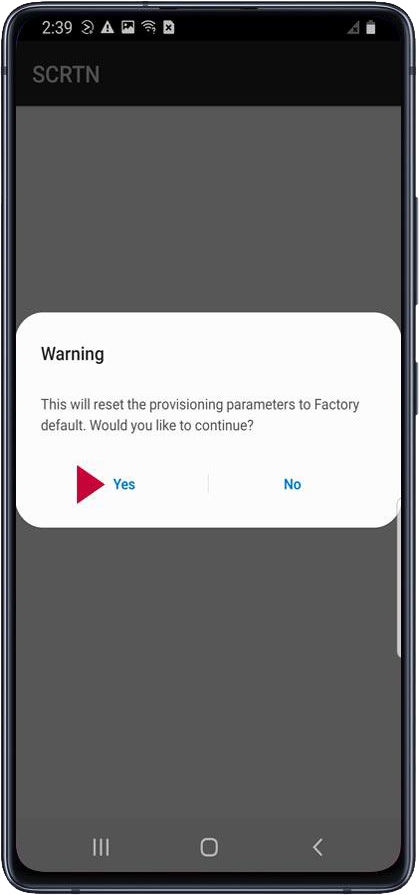
Step 5 (of 6): Tap “Yes” when the "Warning" message appears which will restart your device. This could take up to 5 minutes.

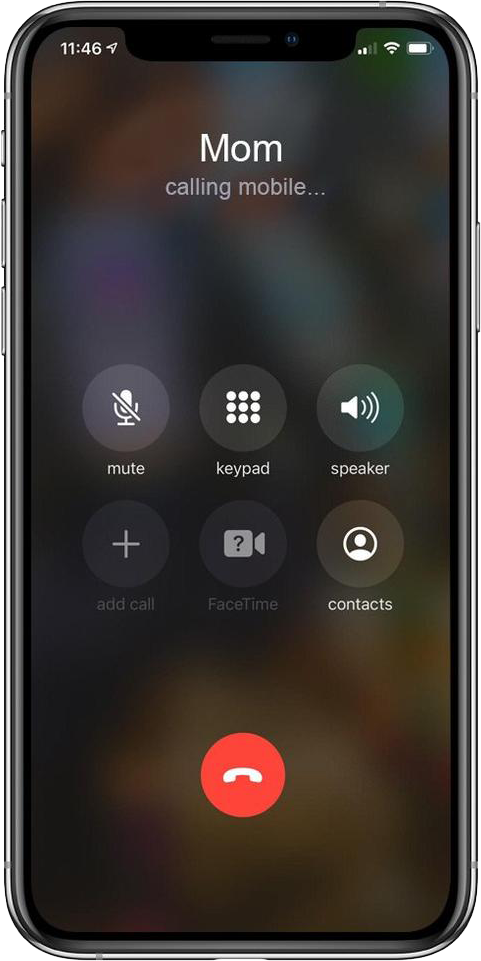
Step 6 (of 6): Once activation is complete, call someone to ensure the activation was successful.


Patriot Mobile Connect™

Fast & reliable cellular internet on the go

Portable Wi-Fi hotspot & router solutions

Patriot Mobile's wireless hotspot devices provide secure Wi-Fi on the go that utilizes multiple nationwide networks. Cellular Routers and Hotspots that use patented vSIM technology to seamlessly connect to local mobile networks. No SIM cards or tedious configuration needed.

Camper van on a mountain road using wireless internet

Data Plans That Work for You

Offering a variety of monthly data plans from 10GB to 1000GB. Global plans also available.

Wi-Fi Anywhere

Reliable remote coverage nationwide.

No Commitment

No contract, prepaid plans. Pay on a monthly basis, cancel anytime.