Advanced iPhone Activation Process
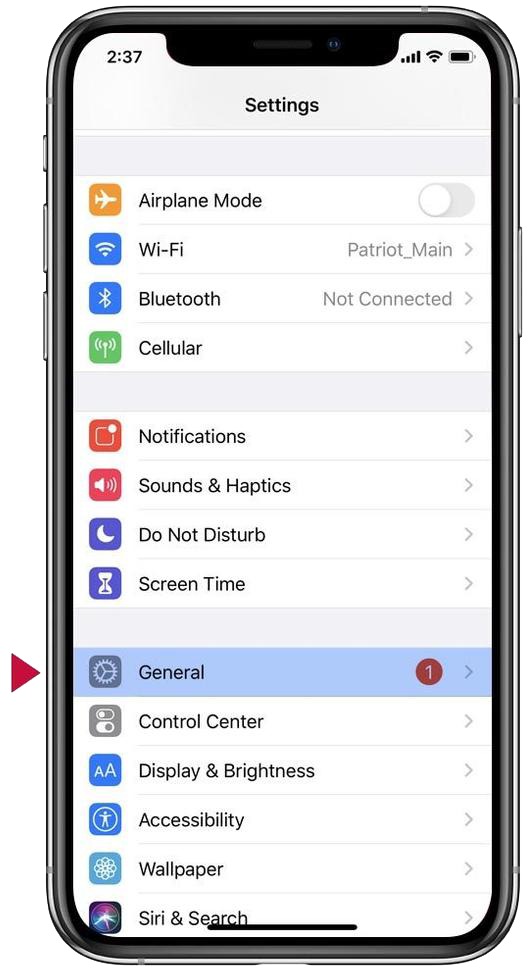
“Step 1 (of 7): From home screen, find the Settings icon. Tap “General”. Next, tap “Software Update.”
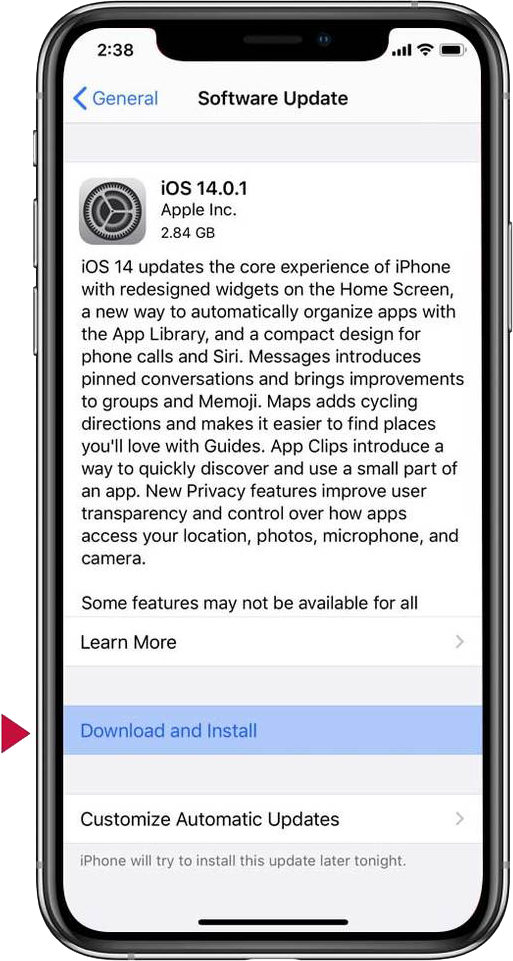
Step 2 (of 7): Tap “Download and Install” message, if it is displayed. Once your phone restarts, go to step 4.
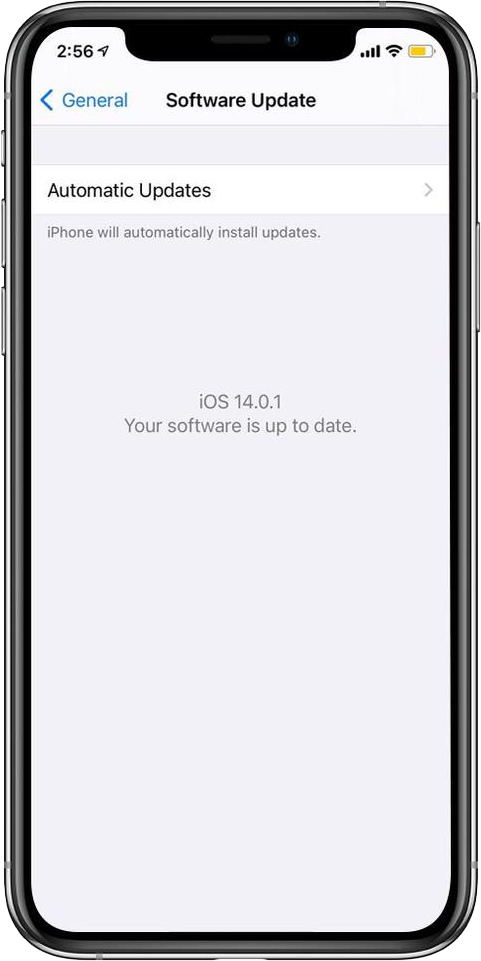
Step 3 (of 7): If “Your software is up to date” message is displayed, go to Step 7 below.
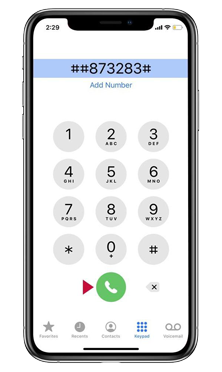
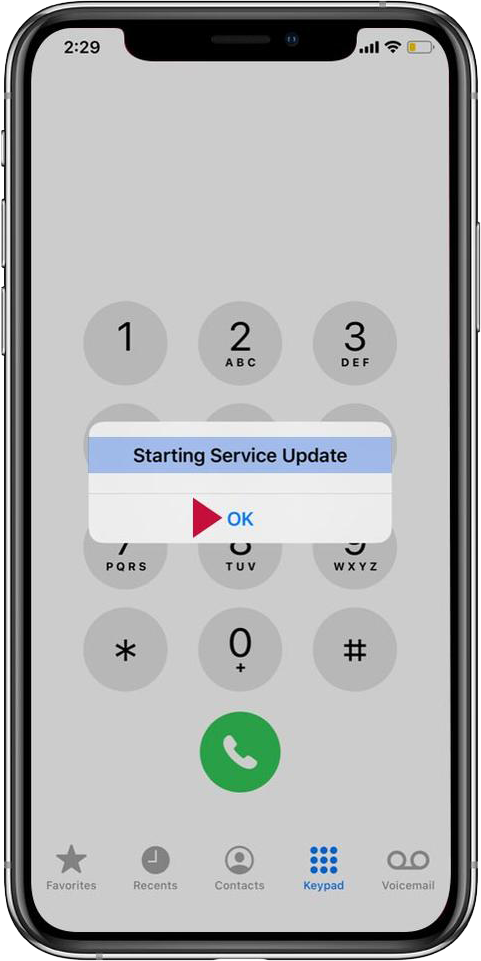
Step 4 (of 7): Dial ##873283# and then tap the green call button.
Step 5 (of 7): A “Starting Service Update” message will appear. Tap “Ok".” This could take up to 5 minutes.
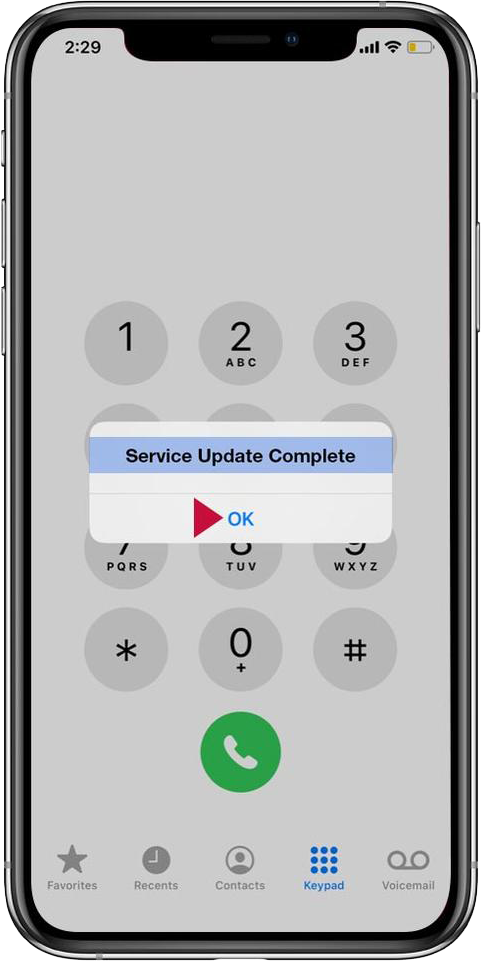
Step 6 (of 7): If the update is successful, a "Service Update Complete" message will appear. Tap "OK".