



Tips to Maximize Phone Performance

1. Turn On Cellular Data Switching
Your phone is designed to automatically connect to the strongest available tower, whether it’s 5G, LTE, or 4G. To make sure it can do this, go to your Settings and enable Cellular Data Switching. This feature allows your phone to move seamlessly between towers for the fastest speeds and best coverage.
2. Turn On Free Domestic Data Roaming
Patriot Mobile includes free domestic data roaming across the United States. This means your phone can stay connected even when you’re outside of your carrier’s direct coverage. Make sure roaming is turned on in your Settings so you don’t miss calls, texts, or data access while traveling.
3. Keep Your Phone Updated
Operating system and security updates do more than fix bugs — they also include important improvements for your phone’s performance and connectivity. Regularly check for updates in your Settings and install them when available. This keeps your phone running smoothly and ensures it works well with network upgrades.
4. Enable Wi-Fi Calling
If your phone and plan support it, turning on Wi-Fi Calling can dramatically improve call quality and text reliability in areas with weak cellular signal. When connected to Wi-Fi, your phone will route calls and messages through your internet connection, helping you stay connected even indoors or in low-signal areas.
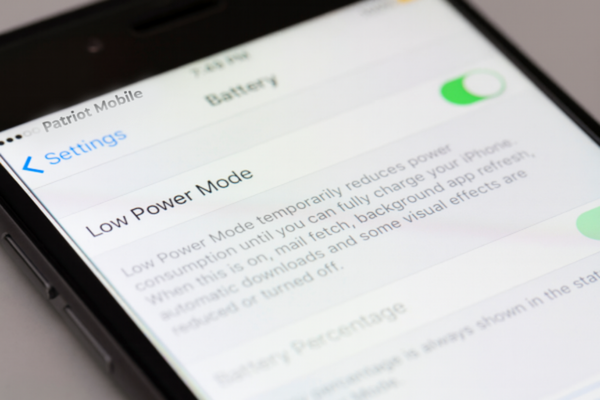
5. Avoid Low Power or Battery Saver Mode
Low Power and Battery Saver modes are great for conserving battery life, but they often limit background processes, including network performance. This can reduce your data speeds and overall coverage. Keeping your phone charged and avoiding long stretches in these modes will ensure you’re getting the best possible connection.
6. Restart Your Phone Daily
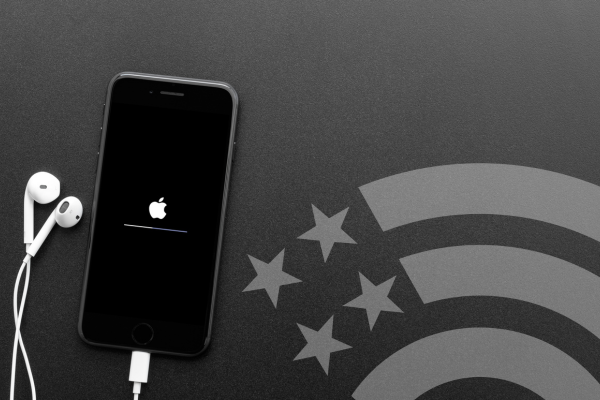
Just like any computer, your smartphone benefits from a reset. Powering your device off once a day clears temporary files and memory, refreshes the system, and helps prevent slowdowns. It also improves security by ensuring your device runs updated background processes.
7. Refresh Your Network Connection
Sometimes your phone may hold onto a weaker tower. To force it to find a stronger one, go into Settings and turn on Airplane Mode. Wait at least 10 seconds, then turn it off again. This refresh resets the connection and often results in stronger signal reception.
8. Monitor Your Data Usage
Keeping an eye on your data helps you avoid slowdowns or unexpected limits. You can check your usage anytime by logging into your MyAccount. This gives you a clear view of how much data you’ve used and how much remains in your billing cycle.
9. Explore Our Device Tutorial
Still need help? Many device-specific troubleshooting answers can be found in our Device Tutorial, located at the top right of our website. This tool provides step-by-step instructions tailored to your phone model, helping you solve common issues quickly.
Experiencing coverage issues? Patriot Mobile gives you access to all three major U.S. networks, and our team can switch you for free to the network best for you. Give us a call at (972) PATRIOT (option 2) and our team can help.