mms-messaging - Patriot Mobile | Mobilizing Freedom

MMS/Picture Messaging

We’re sorry you’re having technical difficulties. Here are the step-by-step instructions to enable picture messaging.

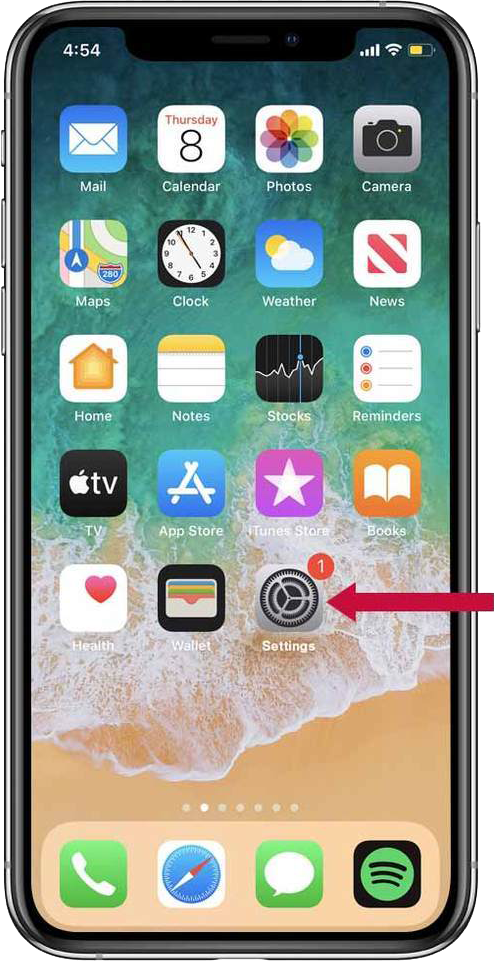
Step 1 (of 8):

Select the device settings icon.

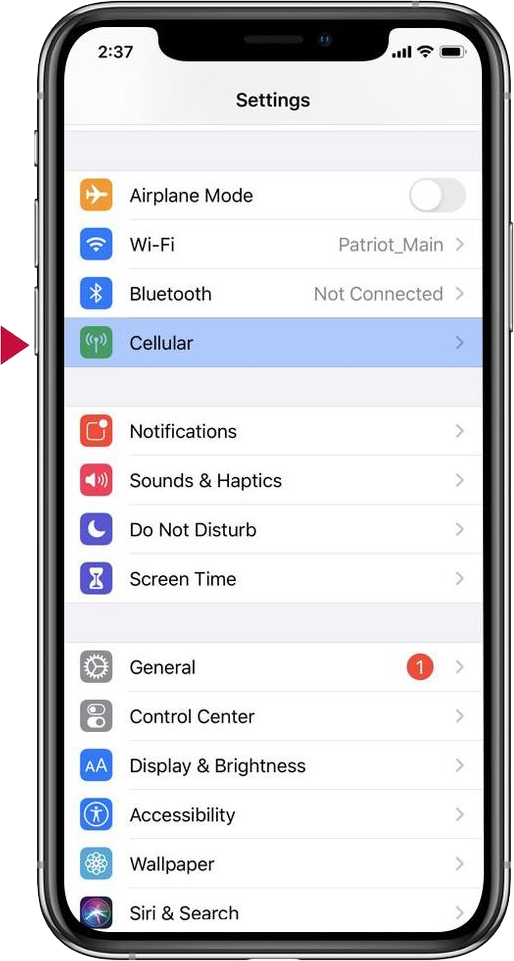
Step 2 (of 8):

Select Cellular within your device settings.

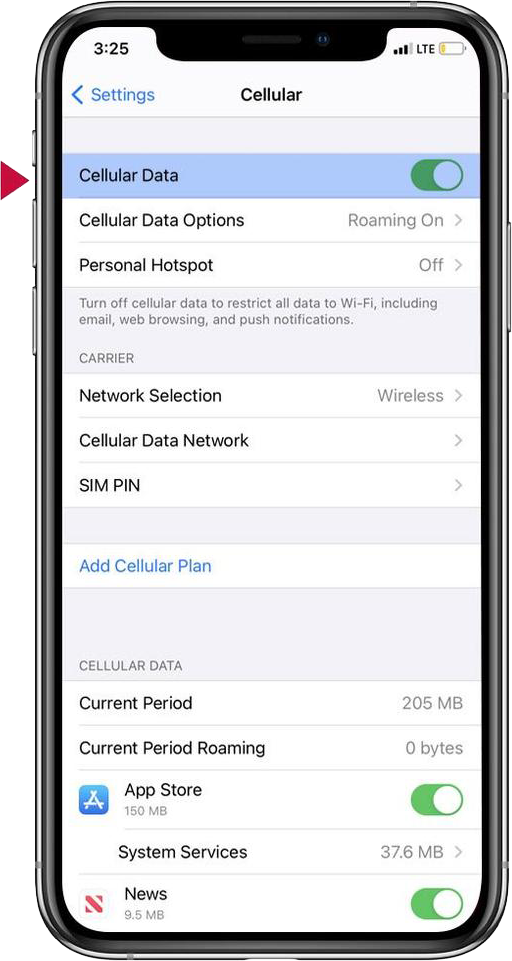
Step 3 (of 8):

Verify that your cellular data is on.

Proceed to Cellular Data Options.

Make sure your LTE/VoLTE and Data Roaming are turned on.

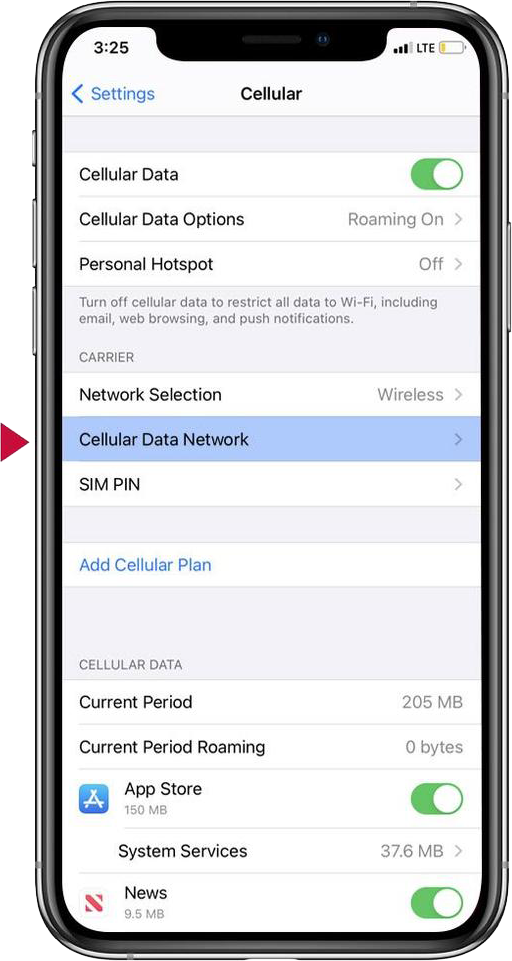
Step 4 (of 8):

Select Cellular Data Network.

Step 5 (of 8):

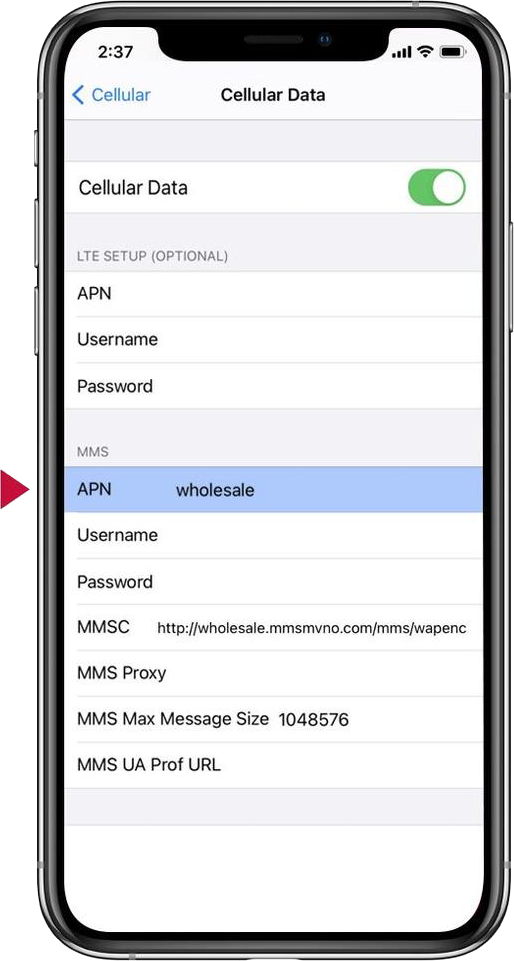
Under the MMS section, select APN and enter wholesale.

Step 6 (of 8):

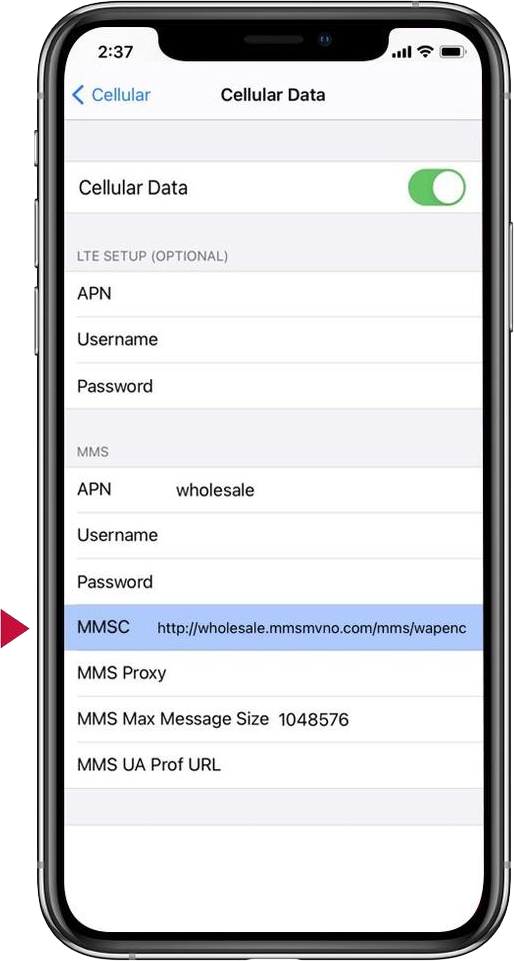
Select MMSC and enter: 

http://wholesale.mmsmvno.com/mms/wapenc

Step 7 (of 8):

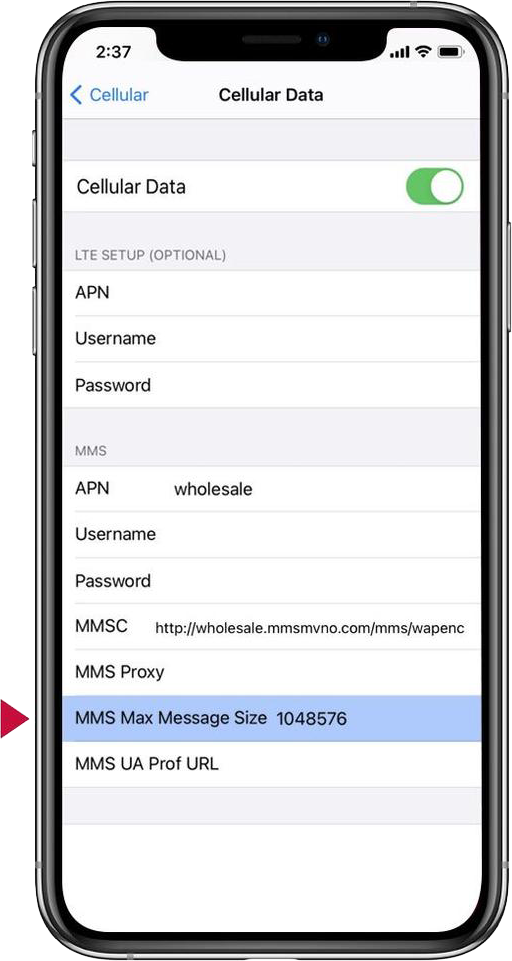
Select MMS Max Message Size and enter: 1048576.

Step 8 (of 8):

Return to the home screen to save.

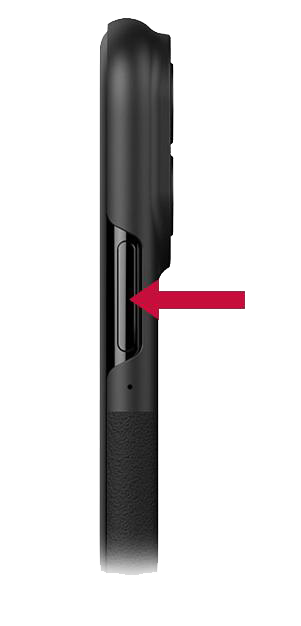
Turn the device off and back on.

Patriot Mobile Connect™

Fast & reliable cellular internet on the go

Portable Wi-Fi hotspot & router solutions

Patriot Mobile's wireless hotspot devices provide secure Wi-Fi on the go that utilizes multiple nationwide networks. Cellular Routers and Hotspots that use patented vSIM technology to seamlessly connect to local mobile networks. No SIM cards or tedious configuration needed.

Camper van on a mountain road using wireless internet

Data Plans That Work for You

Offering a variety of monthly data plans from 10GB to 1000GB. Global plans also available.

Wi-Fi Anywhere

Reliable remote coverage nationwide.

No Commitment

No contract, prepaid plans. Pay on a monthly basis, cancel anytime.